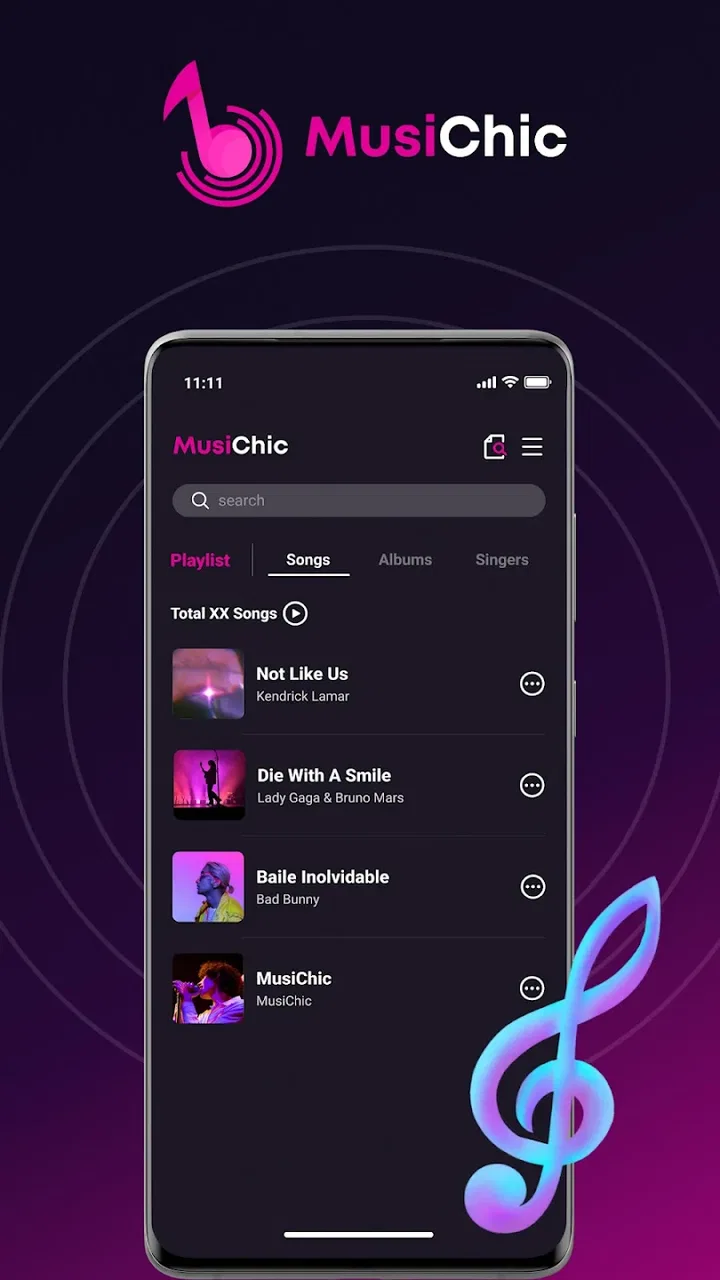
MusiChic-Offline Music Player
- 4.1
- Rating
- 10.00M
- Installs
- Free
- Price

 Analysis by App-foxy
I approached MusiChic-Offline Music Player as a practical listening tool rather than a flashy music service, and that distinction shapes my opinion of it. Its main appeal is simple: it is a free music and audio app for people who want to play music already available on their device without depending on an online catalog. In daily use, that can be a refreshing change from services built around subscriptions, recommendations, accounts, and constant connectivity.
The app is made by JIMMY SMALL.inc VIDEOSTORY and has earned a 4.2 average from around 8,100 ratings, with more than 10 million installs. Those figures suggest that its straightforward approach has reached a broad audience. I can understand why. When I just want to listen to tracks I have stored locally, a focused player can feel less distracting than a full streaming platform. The important question is whether that simplicity is useful enough to outweigh the conveniences of larger alternatives.
How MusiChic fits into everyday listening
The strongest part of the experience is its clear purpose. MusiChic is not trying to replace a streaming subscription with a huge online library. It works best when I already have music files on my phone and want an interface dedicated to playing them. That makes it especially relevant for downloaded albums, personal recordings, transferred music, or audio saved for places where mobile data is unreliable.
You May Also Like

 Blood Strike: 2.5 Anniversary
Blood Strike’s Loadouts Turn Every Drop Into a Tactical Gamble
A close look at Blood Strike’s custom loadouts: how fast access to signature weapons reshapes its battle royale rhythm, rewards preparation, and narrows the gap between fights.

 Pandora - Music & Podcasts
Pandora’s Music Is Easy to Start, but Harder to Recover
Pandora’s strength is its low-effort path from a seed to a station. Its weak spot is how much confidence it asks you to place in connection, setup, and quiet recovery.

 8 Ball Pool
 Is Built on Rivalries, Rematches, and Routine
A close look at the rivalries, rematches, shared routines, and unanswered safety questions that turn a quick pool match into a persistent mobile community.

 Samsung Music
’s Quiet Strength Is Playing What You Already Own
Its reach comes less from spectacle than from dependable access to a personal library. That simplicity is both the app’s strongest retention engine and its ceiling.

 AccuWeather: Weather Radar
AccuWeather Review: A Quick, Clear Forecast for Everyday Decisions
For everyday plans, the best forecast is the one you can understand quickly. AccuWeather makes rain timing, radar, and local conditions easy to act on, with a few trade-offs.

 Hill Climb Racing
Why Hill Climb Racing Still Turns Crashes Into One More Run
A tiny car, a bumpy hill and one more upgrade: Hill Climb Racing keeps resurfacing because its simple chaos makes every near-miss feel personal.
More From Our News Desk



I found that this kind of app changes the way I think about music on a phone. With a streaming service, I usually begin by searching for an artist or playlist. With an offline player, I begin with the files I already own or have placed on the device. The experience is more deliberate: I choose an album, a folder, or a familiar collection instead of being pushed toward new recommendations. For listeners who value control over discovery, that is a meaningful advantage.
The store presents it as “MusiChic,” while the fuller product name identifies it as an offline music player. That wording matters because expectations should stay realistic. I would not install it expecting a built-in replacement for a streaming catalog. I would install it when my priority is dependable access to local audio and a less crowded listening routine.
Why offline playback can be genuinely useful
A realistic example is a commute through areas with inconsistent reception. Before leaving home, I can make sure the music I want is already on the device, then use the player without worrying about a weak signal interrupting a track. The same workflow makes sense on a flight, during travel abroad, or in a workplace where phone reception is inconsistent. It also avoids turning every listening session into a test of network quality.
There is another practical benefit: offline listening makes my music collection easier to separate from the rest of my phone activity. A streaming app may encourage me to browse, check recommendations, or jump between playlists. A local player gives me a more contained session. If I have a specific album in mind, that reduced temptation to browse can be a strength rather than a limitation.
For families, students, and people using older devices, a free player can also be a sensible option. The app is rated for Everyone, and its minimum operating-system requirement is Android 7.0, so it is not restricted to only the newest phones. I still recommend checking how well a particular device handles its stored music, but the compatibility range makes it more approachable than apps that demand a recent operating system.
The small workflow choices that matter
One useful habit is to organize audio before relying on it heavily. I would group albums and recordings into clearly named folders, use consistent artist and album information where possible, and remove duplicate files. An offline player is only as convenient as the collection it has to read. Spending a few minutes cleaning up the library can make browsing much less frustrating than trying to fix a disorganized collection from inside the app.
A second tip is to prepare a travel set rather than treating the entire phone as one giant library. A compact selection is easier to browse when I am walking, driving, or using headphones in a crowded place. It also reduces the chance of choosing an unintended recording simply because several similarly named files appear together. This is not a glamorous feature, but it is the kind of workflow that makes a local player feel dependable.
I also see value in using it for audio that does not belong in a streaming service at all. Personal recordings, independently obtained files, and music transferred from another device can fit naturally into an offline library. That flexibility is one of the reasons I would choose a dedicated local player over an app designed mainly around online discovery.
Where it compares well with streaming services
Compared with a typical streaming app, MusiChic has a narrower purpose but fewer reasons to interrupt the listening session. I do not need to search an online catalog when the track is already stored locally. I also avoid building my routine around a subscription, although the value of that difference depends on how much music I already have available offline.
Streaming services remain better for discovery, current releases, collaborative playlists, and instant access to music that is not already on my phone. If I regularly listen to unfamiliar artists or move between many devices, a cloud-based service is probably the more convenient choice. MusiChic makes more sense when ownership, local storage, and predictable access matter more than breadth.
Compared with a basic file manager, the music-player approach is more comfortable for repeated listening. A file manager can open an audio file, but it is not usually the place I want to manage a listening session. A dedicated player gives the activity its own space, which feels more natural when I am returning to albums or personal collections throughout the day.
Choosing the right kind of music app
I find it useful to decide what I want an app to do before comparing names or interfaces. If I want a service to suggest artists and supply unfamiliar songs on demand, a streaming platform is the natural category. If I want to manage audio stored on my phone, an offline player is the more direct tool. Those are different jobs, and judging MusiChic by the breadth of an online catalog would miss the point of choosing it.
There is also a middle ground: keeping a streaming app for discovery while using a local player for music I have collected. That arrangement is practical for someone who enjoys new releases but has a reliable set of albums, recordings, or travel selections they want available without a connection. I would not call it necessary for everyone, but it can prevent one app from having to serve two very different listening habits.
When trying a local player, I would pay attention to the everyday actions I repeat: finding an album, returning to a particular recording, and choosing a track without scrolling through unrelated files. A cleanly organized library matters more than a long list of theoretical options. If my files are already easy to identify, the player can stay out of the way; if they are a jumble, even a simple interface may feel inconvenient.
The limitation I would consider before installing
The same offline focus that makes the app appealing also creates its biggest boundary: it depends on the quality and organization of the music already on the device. If my collection is incomplete, poorly labeled, or scattered across storage locations, the player cannot magically provide the convenience of a large online catalog. I have to do more preparation than I would with a service that handles discovery and delivery for me.
This trade-off is easy to underestimate. A person moving from a streaming app may expect to type a song title and immediately find it. With MusiChic, that expectation may lead to disappointment if the file is not already available locally. I would therefore treat it as a companion to a personal collection, not as a universal music source.
Offline listening can also make device storage more important. Keeping a substantial library on a phone requires room, and the effort of transferring or organizing files belongs to the user. For someone with limited storage or a habit of switching between many genres, a streaming service may feel smoother even if it introduces subscriptions or network dependence.
Another point is that a focused local player may feel too modest for listeners who want a complete music ecosystem. If my routine depends on synchronized libraries, social sharing, cloud backups, or constant recommendations, I would look elsewhere. MusiChic’s appeal is strongest precisely because it does not make those broader ambitions the center of the experience.
What switching to local listening involves
Moving from a streaming-first routine is less about learning a complicated system and more about changing where the music comes from. I would first identify which tracks I genuinely want available on the phone, then make sure those audio files are stored there and sensibly named. Starting with a small, familiar selection is more useful than trying to migrate every song at once, because it lets me judge whether the local workflow suits me before I reorganize my whole collection.
I would also keep expectations clear about what happens when a track is missing. A local player can only work with audio that is present on the device, so a search that finds nothing is a cue to check the collection, not evidence that the app should have an online version. That distinction helps avoid unnecessary frustration and makes it easier to decide whether local playback can cover enough of my listening to be worthwhile.
For anyone unsure, I would use it alongside an existing music app for a while rather than replacing a familiar setup immediately. Use the local player for a commute, a saved album, or a trip, then notice whether preparing files feels manageable. If I keep reaching for online search and recommendations, the streaming option is still doing the job I value most; if I mainly replay a dependable personal collection, the offline approach may be a better fit.
Who will get the most from it
I would recommend this app to listeners who have a personal collection and want a free way to play it without making every session depend on the internet. It suits commuters, travelers, people with unreliable connectivity, and anyone who prefers albums and saved files over algorithmic feeds. It can also be useful as a straightforward secondary player alongside a streaming subscription.
It is particularly suitable for someone who wants a simple routine: transfer music, organize it sensibly, open the player, and listen. That workflow rewards a little preparation. The benefit is that once the collection is ready, the listening experience can be more predictable and less cluttered than a service built around constant browsing.
I would be more cautious about recommending it to someone who does not keep music files locally. If the main reason for using a music app is to discover new releases, follow artists, or access a massive catalog instantly, this is not the right first choice. The app’s value comes from what the user brings to it, so it is not equally useful for every listening style.
Practical details before choosing it
MusiChic is free, which lowers the cost of trying it as a second music player. Its Everyone age rating also makes it a broadly accessible option for ordinary household use. The current version is 1.2.4, and the app was released on May 9, 2025, so I would keep it updated through the normal app-store process rather than assuming an older installation reflects the current experience.
The developer name, JIMMY SMALL.inc VIDEOSTORY, is worth recognizing when searching for the correct app, especially because music-player names can sound similar. I would also confirm that the phone meets the Android 7.0 minimum before installing. These details are simple, but they prevent the most common avoidable confusion when choosing a local audio tool.
Before making it my main player, I would test it with several kinds of audio in my own collection: a complete album, tracks with inconsistent naming, and a recording that I do not normally play. That quick test tells me whether my library is organized well enough for comfortable use. It is a better evaluation than judging the app only by its first launch, because offline players depend heavily on the material they are asked to manage.
My overall judgement
My view is that MusiChic-Offline Music Player succeeds by staying focused. It offers a free route to local music playback for people who do not want every listening session tied to streaming, discovery, or a data connection. Its broad adoption and 4.2 average indicate that this uncomplicated role resonates with many users, and I can see the appeal in ordinary situations such as commuting, traveling, or listening to a carefully prepared personal collection.
It is not the best answer for every music listener. I would choose a streaming service when discovery, cloud access, and a large catalog are more important than local control. I would choose MusiChic when I already have the audio I want and need a dedicated, offline-friendly way to enjoy it.
My recommendation is specific rather than universal: install it if your music is already on your device and you want a calm, practical player for that collection. Skip it as your only music app if you expect the app itself to supply endless new content. Within its intended role, MusiChic is a sensible tool, and its limitations are easier to accept once that role is understood.
FAQs for MusiChic-Offline Music Player
01How does MusiChic-Offline Music Player work without an internet connection?
MusiChic-Offline Music Player allows users to download their favorite music tracks directly to their device for offline playback. Once the songs are stored locally, you can enjoy uninterrupted music listening without needing Wi-Fi or mobile data, making it ideal for travel or areas with poor connectivity.
02Is there a limit to the number of songs I can download with MusiChic?
The number of songs you can download with MusiChic depends on the available storage space on your device. The app itself doesn't impose a limit, so as long as you have sufficient space, you can keep adding to your offline library. Consider managing your storage to optimize performance.
03Does MusiChic support all music file formats?
MusiChic supports a wide range of popular audio formats, including MP3, AAC, and WAV. However, it may not support less common or proprietary formats. For the best experience, ensure your music files are in widely accepted formats. Check the app's specifications for a complete list of supported formats.
04Can I create and manage playlists in MusiChic?
Yes, MusiChic allows you to create and manage custom playlists easily. You can organize your music by genre, mood, or any preference. The app offers intuitive playlist management tools, enabling you to add, remove, or reorder songs with a few taps, enhancing your listening experience.
05Is MusiChic compatible with all Android and iOS devices?
MusiChic is designed to be compatible with a wide range of Android and iOS devices. However, some older devices may not support all features due to hardware limitations or outdated operating systems. Ensure your device meets the minimum system requirements specified in the app store listing for optimal performance.
Pros
- Intuitive interface for easy navigation.
- High-quality offline playback.
- Customizable playlists and themes.
- Light on battery usage.
- No ads in premium version.
Cons
- Limited free version features.
- Occasional lag on older devices.
- Premium version is pricey.
- No lyrics support.
- Updates are infrequent.

MusiChic-Offline Music Player
Gallery